


Automated system for gas cylinder tracking and labeling — ASUB
Full control
of your cylinder fleet
Track, label, and monitor gas cylinders using digital technology. Reduce losses, optimize processes, and stay compliant with regulations.
100% Russian software
Full technical support
30-day free trial
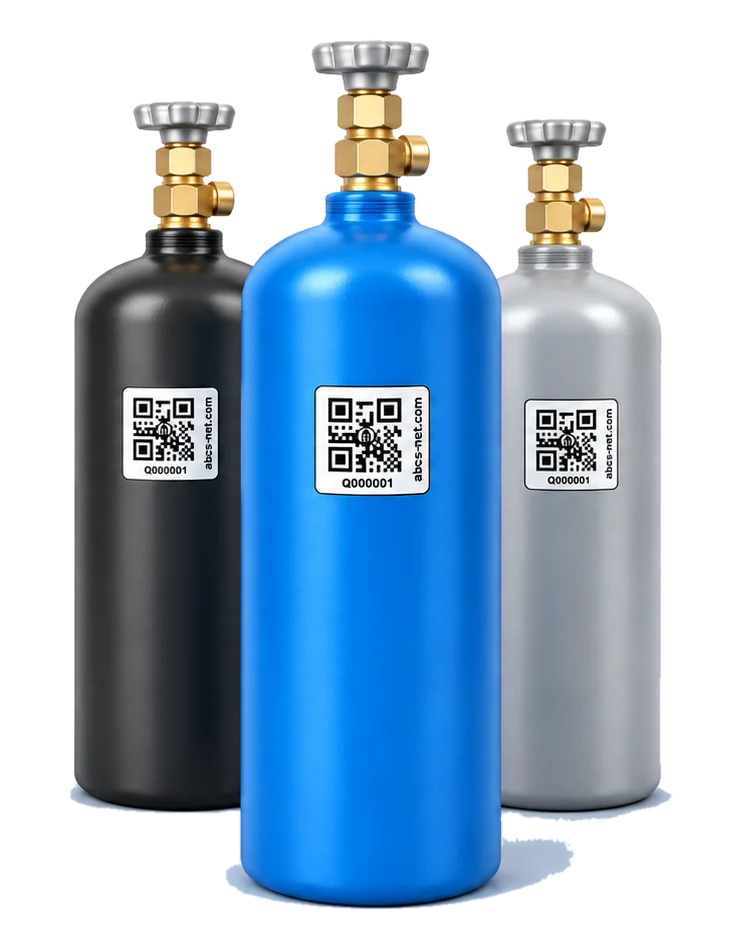
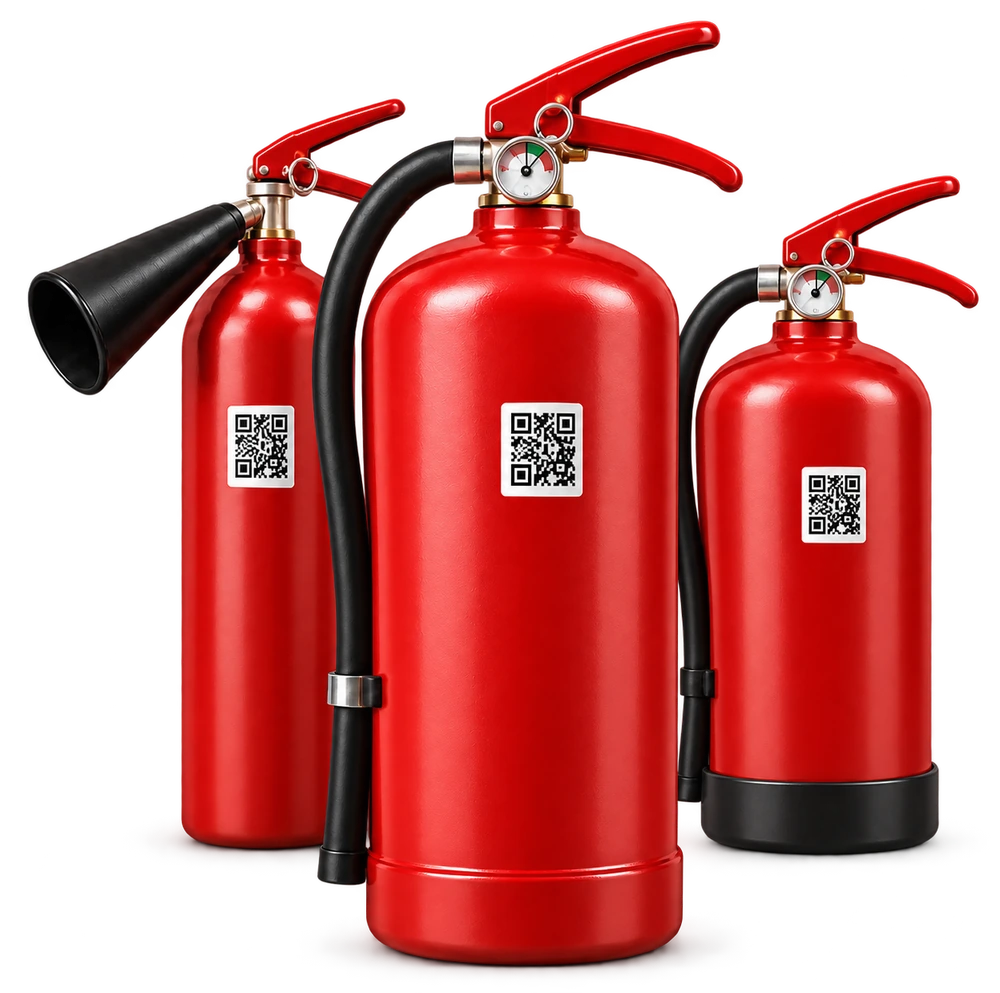
On display: ASUB — gas cylinders
Everything to manage your cylinder fleet
From warehouse intake to customer returns — every operation in one system.
Trace gas from filling to release: each batch is linked to its cylinders and test results.
Gas records, filling parameters and operator tracking
Series for medical gases and batches for technical gases
Laboratory testing, quarantine and release for dispatch
Series No. 024
Medical oxygen
- Filling
- Testing
- Release
Track cylinders in warehouses, in transit and with customers, including movements, shipments and returns.
Stock by warehouse and customer, including pallets
Trip planning and delivery routes on the map
Handover documents and statements printed on site
Trip No. 012
Warehouse → customer → warehouse
- Loading
- Delivery
- Return
Service deadlines and repair history are available in each cylinder's passport.
Reminders for upcoming inspections
Records of work, technicians and documents
Filling and dispatch blocked when inspection is overdue
Cylinder No. 08421
Technical inspection
- Inspection
- Service
- Approval
Managers can see company operations while employees see their tasks and permitted actions.
Custom dashboards, reports and Excel export
Process designer, roles and an activity log
Ready for integration with 1C and Bitrix24 via API
Delivery request
Tasks and owners at every stage
- Manager
- Warehouse
- Driver
Everything ASUB Can Do
Identification & Marking
Identification of every cylinder and manifold by DataMatrix code
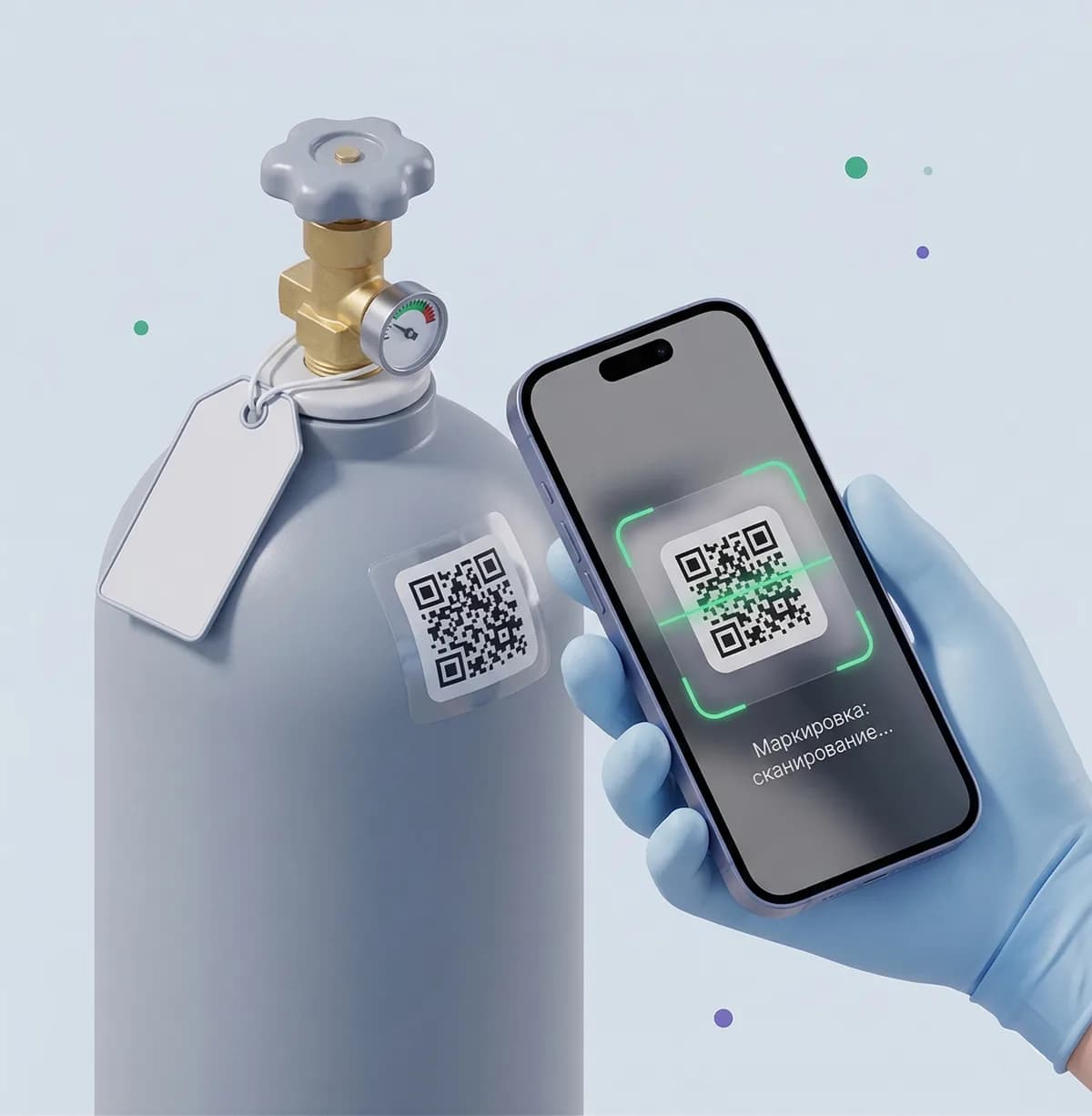
QR code support for scanning with a smartphone camera
RFID tag support for contactless identification
Label generation for printing on any printer
Full re-tagging history stored per unit
Cylinder & Nomenclature Records
Digital passport for every cylinder and manifold
Technical specifications: pressure, volume, material, production date
Gas nomenclature catalogue with parameters (purity class, pressure, color coding)
Status tracking for cylinders and manifolds (empty, filled, at customer, under repair, decommissioned)
Complete fill history for every cylinder and manifold
Gas-to-container compatibility check during filling
Serial & Batch Tracking
Formation and tracking of filling series for medical gases (serial accounting)
Formation and tracking of filling batches for industrial gases (batch accounting)
Series and batch accounting by packaging type (cylinders, manifolds, pallets)
Full product traceability from filling to end customer
Warehouse Operations & Logistics
Interactive facility map: visualize warehouses, clients and transport on a single map
Logistics Mode: visual dispatch planning and order grouping directly on the map
Automated route generation with numbered stops and drag-and-drop reordering
Visual tracking and filtering of cylinder balances across geographical locations
Real-time monitoring of transit fleet with driver details, vehicle plates and progress
Manage multiple warehouses from a single interface
Aggregate cylinders into pallets — track and move as a single unit
Aggregate pallets into vehicles
Control vehicle acceptance, loading and departure
Sales, returns and transfers of filled containers
Complete operation history linked to the responsible employee
Customer Asset Tracking
Track containers at customer sites with location display
Full delivery and return history per customer
Current container balances broken down by customer
Monitor how long containers have been at each customer site
Maintenance & Repair
Inspection deadline tracking for every cylinder
Automatic notifications and visual highlighting of approaching deadlines
Block filling and shipment of cylinders with overdue inspections
Log repairs and maintenance with a description of completed works
Link maintenance results to certificates and documents
Documents & Mobile Printing
Generate transfer acceptance acts for batches and series handed to customers
Fill sheets for filling control
Movement sheets for operation tracking
Print documents on mobile thermal transfer printers
Drivers can complete paperwork on-site at the point of delivery
Develop additional document formats tailored to customer requirements
Analytics & Reporting
Analytical dashboards with customizable widgets
Stock balance reports by warehouse and customer
Container movement reports by period
Cylinder status breakdown reports
Fill volume and customer activity reports
Export any report to Excel with current filters applied
Bulk data import from file with automatic validation
Security & Administration
Flexible role and permission management
8+ built-in roles: admin, warehouse manager, filling operator, inspector, driver and more
100+ granular permissions for every action and section
Full audit log of all user actions with timestamps and linked objects
Create custom roles tailored to your organization structure
Integrations & Scalability
Ready for integration with corporate systems (1C, Bitrix24, etc.) via API
No restrictions on the number of users or available features
Regular system updates
Custom development aligned with your evolving business processes
Android mobile app: scan tags and log operations in the field
Quality Control & Laboratory Testing
Series and batch quality control for medical and industrial gases
Digital laboratory test log with protocol numbers and timestamps
Automatic 'Quarantine' status enforcement prior to lab clearance
Approved / Rejected quality verdict recording and automated dispatch blocking for failed batches
Official printable laboratory test logs and certificates
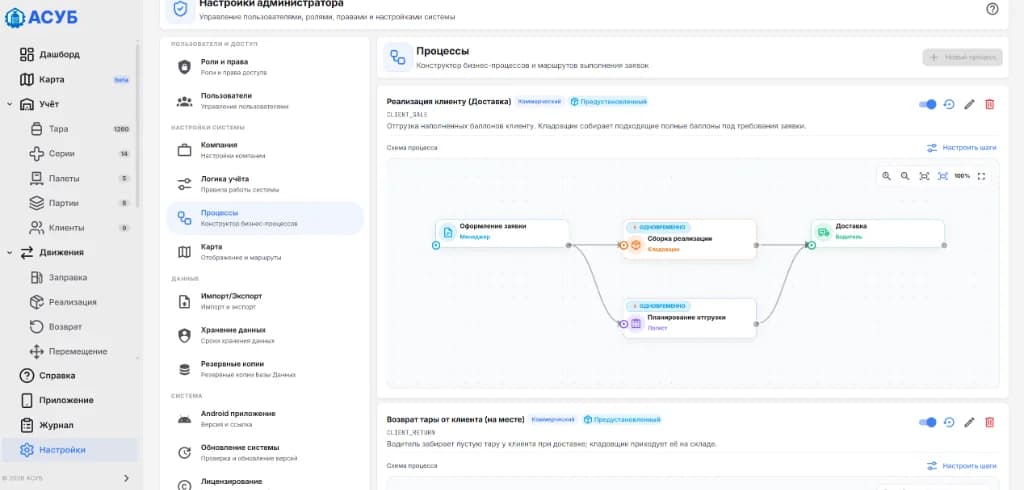
Business Process Builder
Visual modeling and editing of business process flowcharts
Configuration of parallel and sequential order fulfillment steps
Automated task assignment to responsible roles (manager, warehouse operator, logistician, driver)
Pre-configured templates: delivery sales, customer pickup, container return at delivery
Flexible activation and adaptation of workflows to enterprise regulations
Every cylinder's journey — fully tracked
ASUB records every stage from the moment a cylinder enters the system to its decommissioning. No operation goes untracked — here's what the lifecycle looks like:
- 01
Registration
The cylinder enters ASUB: a digital passport is created with serial number, production date, type, volume, material and working pressure. From this point on, every action is recorded.
- 02
Tag Application
A QR code, DataMatrix or RFID tag is applied to the cylinder. The tag is linked to the passport — the cylinder can now be instantly identified with a scanner or smartphone camera.
- 03
Warehouse Intake
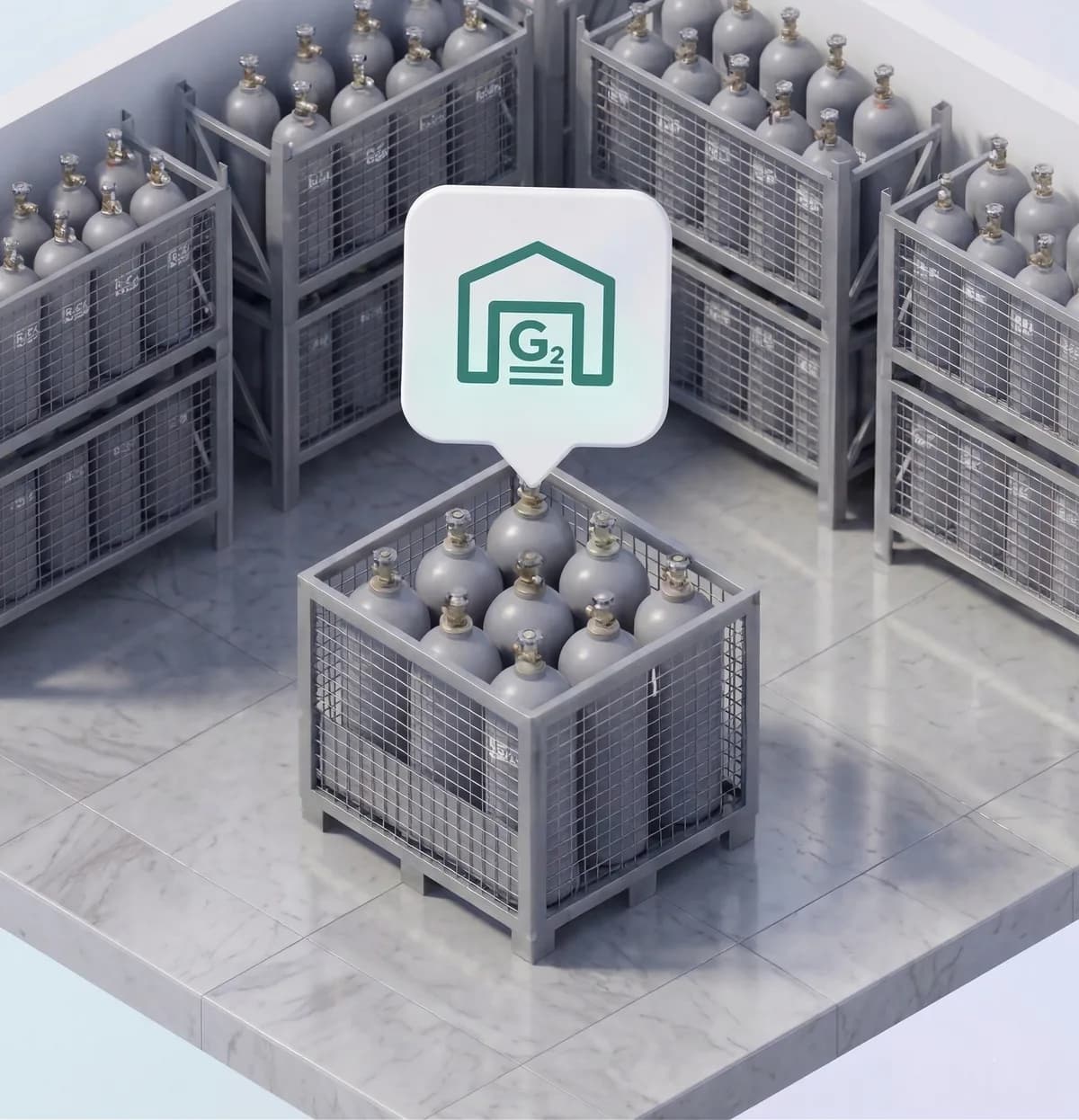
The cylinder arrives at one of the company's warehouses. The system logs the date, warehouse, and responsible employee. Cylinders can be grouped into pallets or batches for bulk tracking.
- 04
Gas Filling
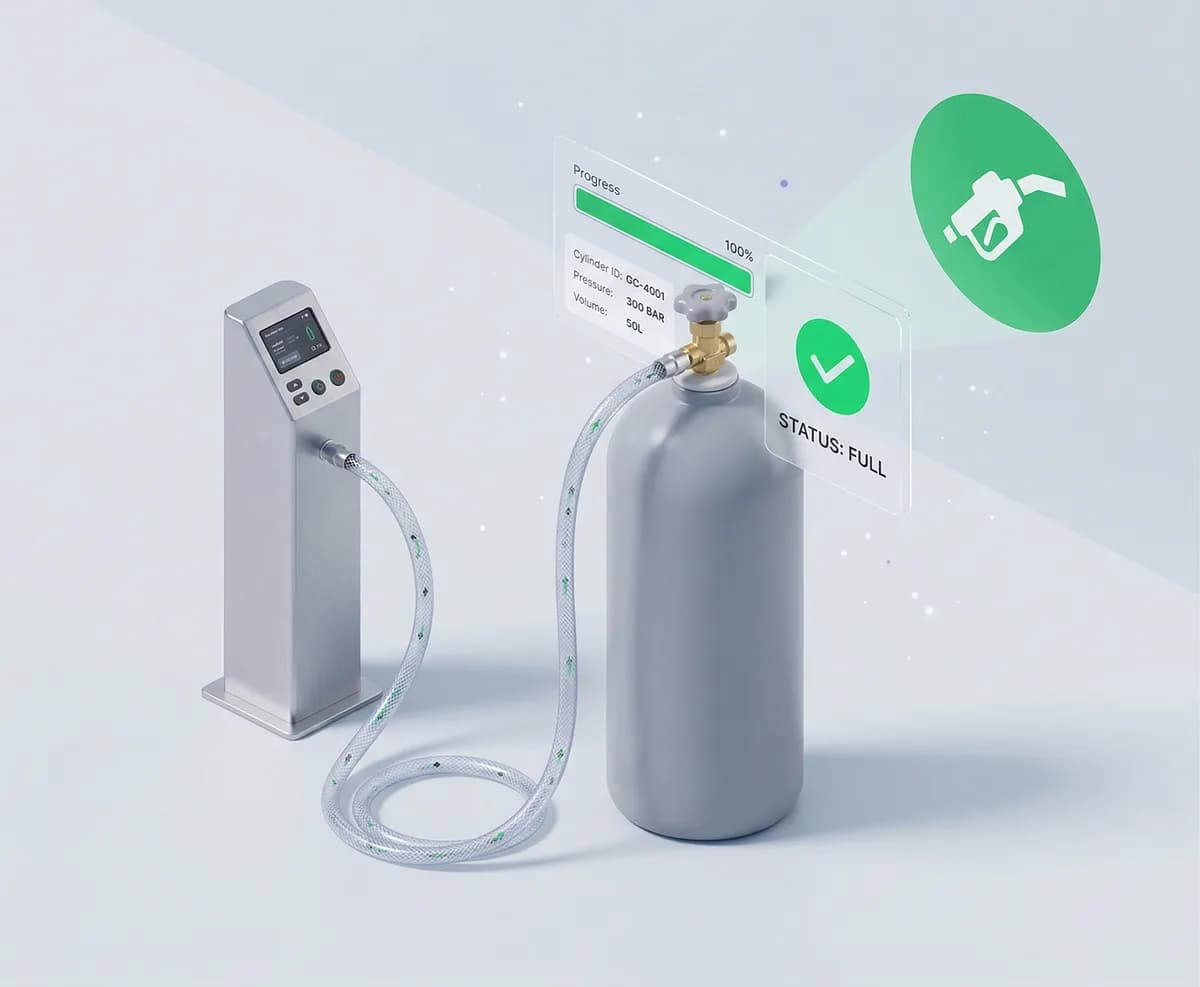
An empty cylinder is sent for filling. The substance, fill volume, and operator are recorded. Status automatically changes to 'filled'. The system flags cylinders whose maintenance is overdue.
- 05
Customer Delivery
A filled cylinder is dispatched to the customer. The system records who received it, when, and from which warehouse. The cylinder moves to 'with customer' status.

- 06
Customer Return
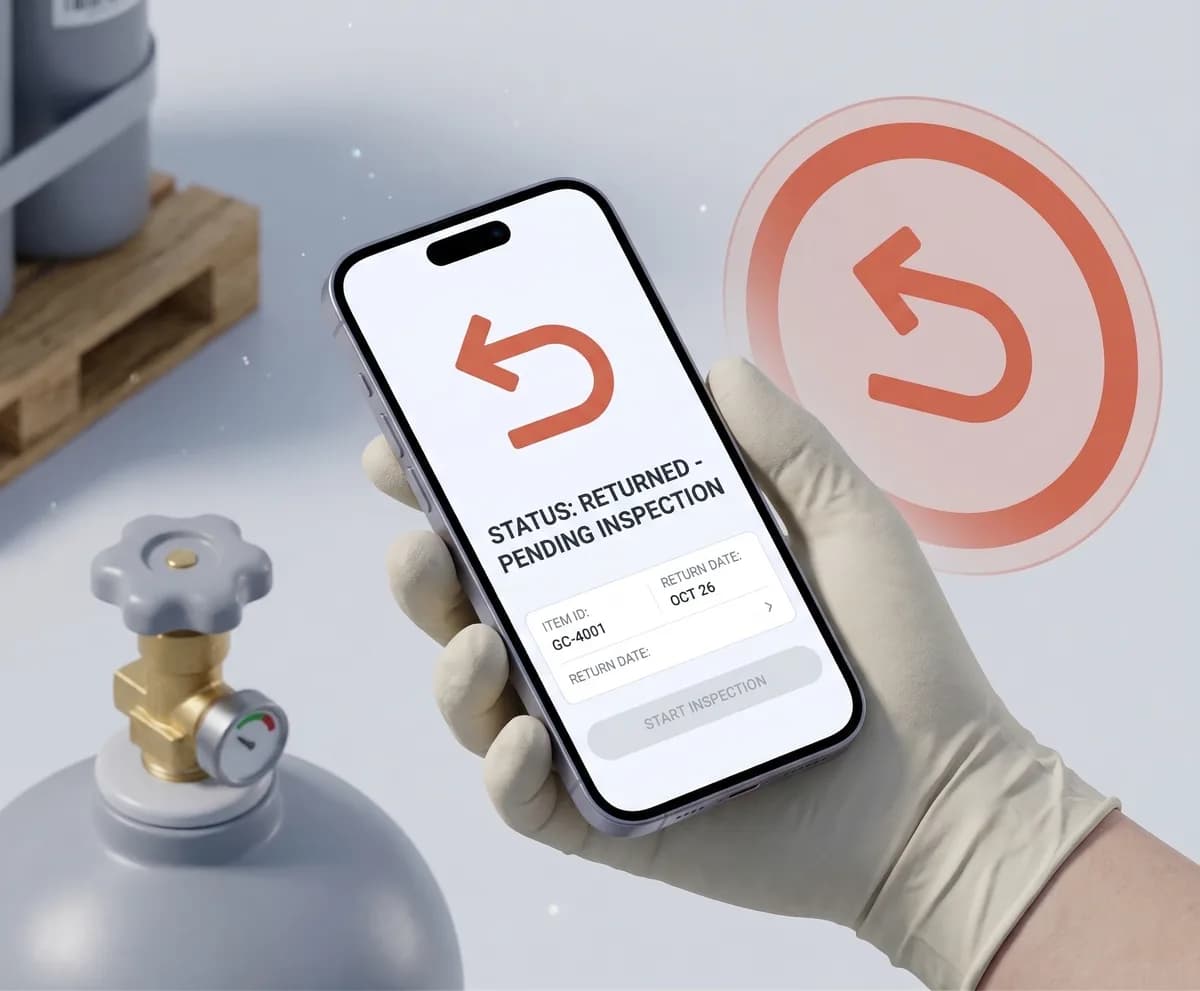
The customer returns an empty (or partially used) cylinder. The system accepts it back to the warehouse, updates the status, and checks if the next inspection is due.
- 07
Maintenance
When it's time for service — inspection, hydrostatic testing, repair — the cylinder goes in for maintenance. Results are linked to a certificate, and the next service date is calculated.

- 08
Back in Circulation
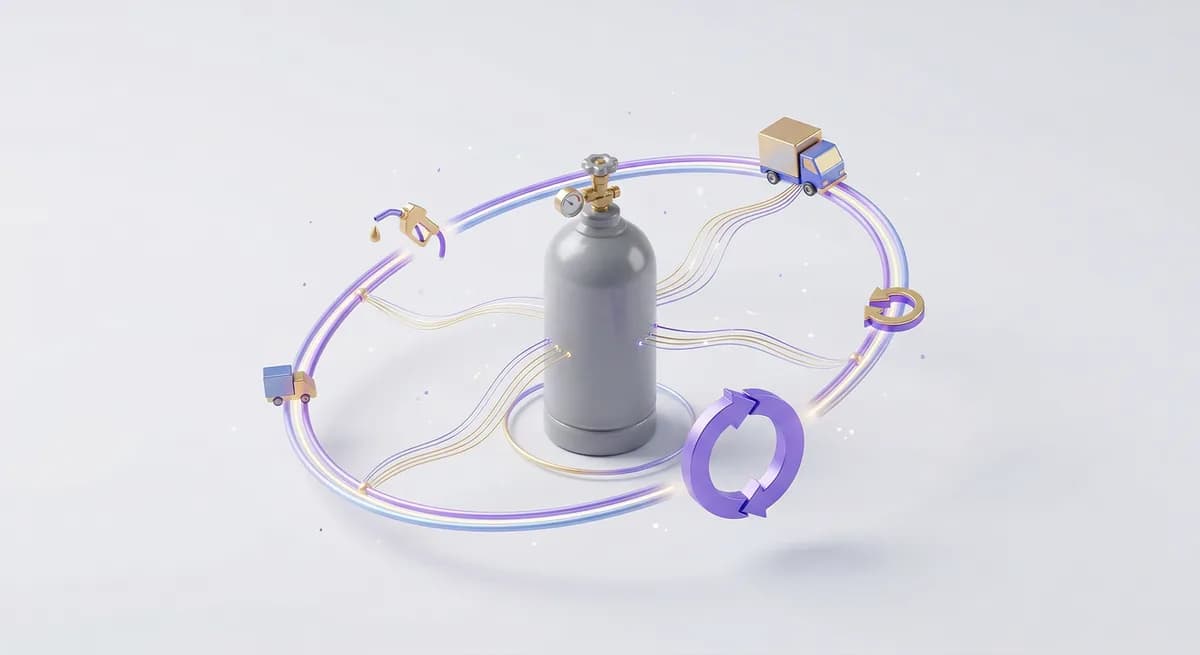
After maintenance the cylinder returns to active use: filled, shipped, returned. The cycle repeats, and the full history — every fill, transfer, inspection — is preserved in the digital passport.
- 09
Decommissioning
When a cylinder fails or reaches its maximum service life, it is decommissioned. The system preserves the complete life history for reporting and audit purposes.

ASUB Live Interface
Explore key screens of the system — from the dashboard to role management
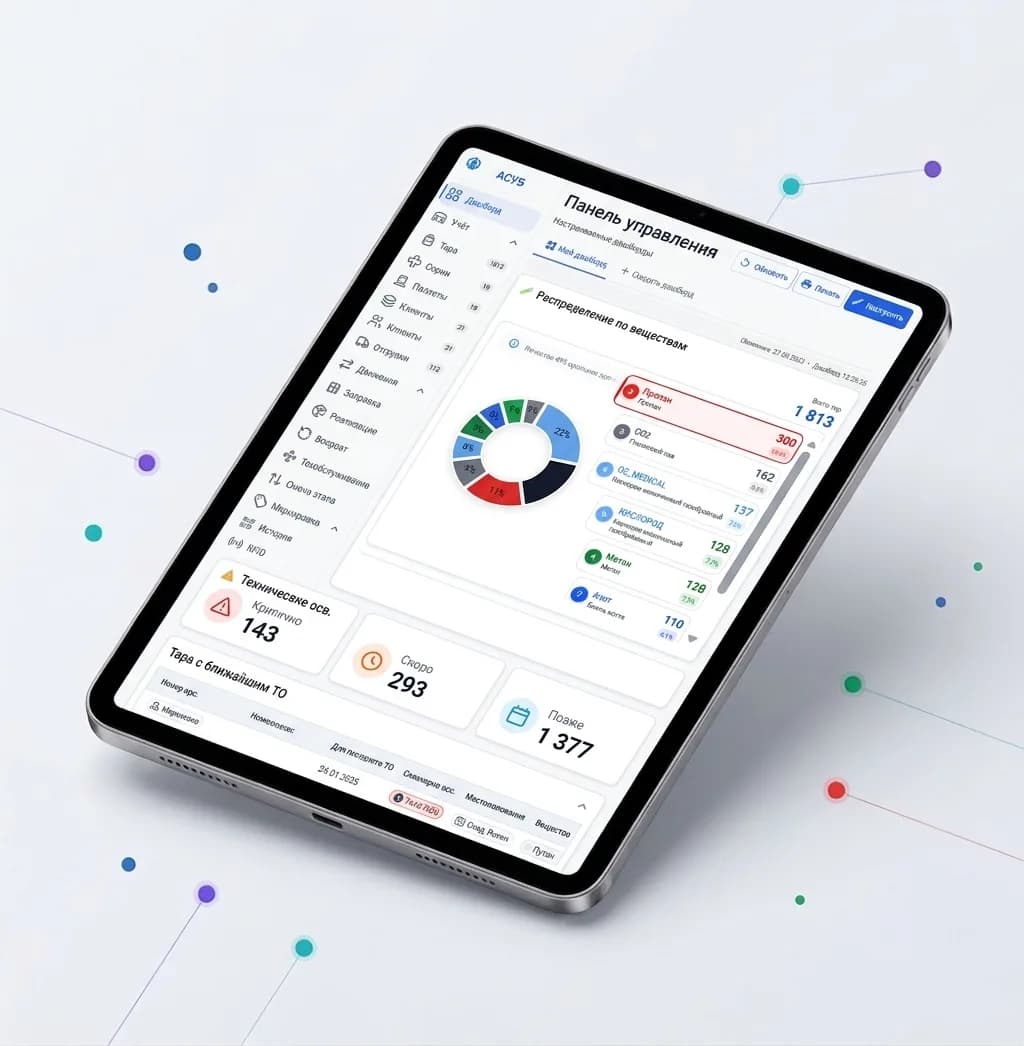
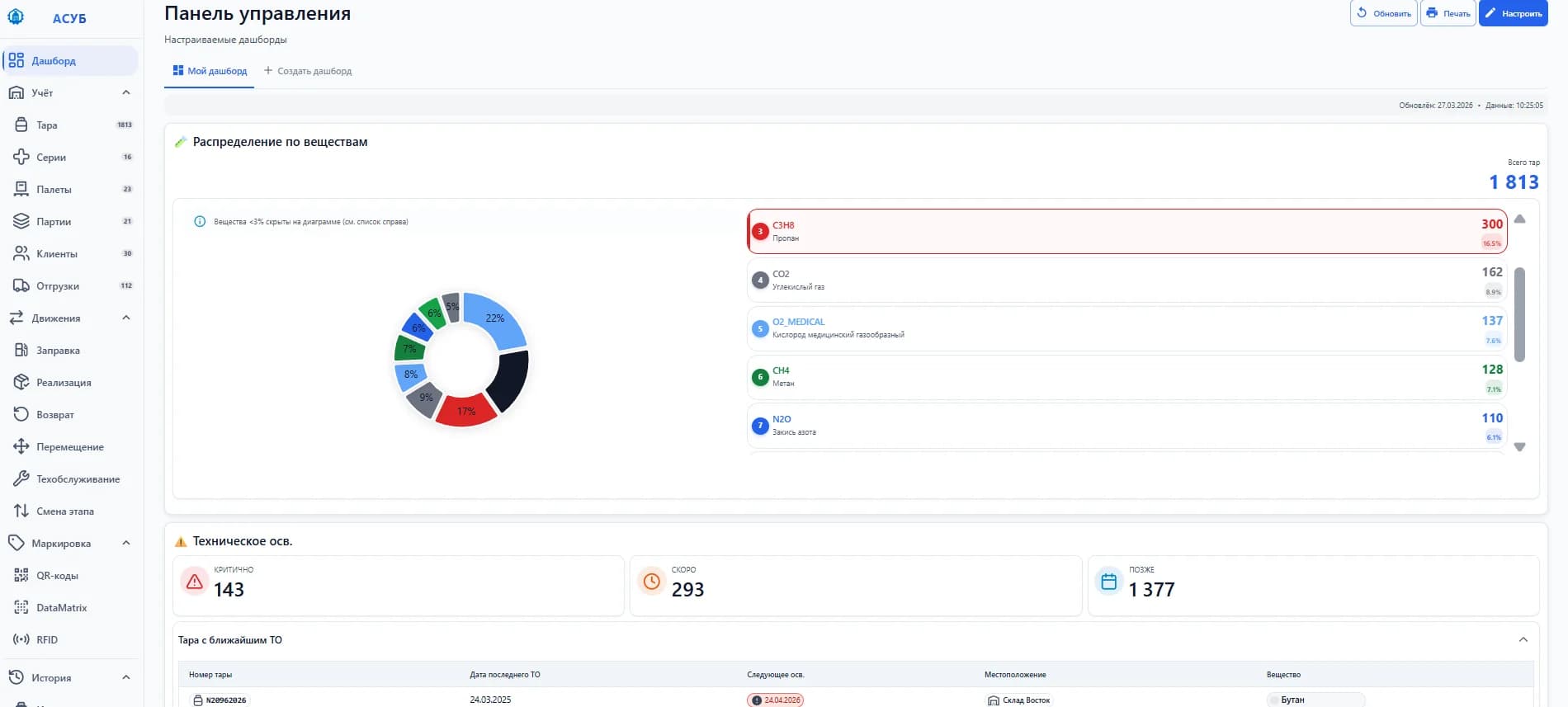
01 / Dashboard
Dashboard
Summary analytics: cylinder counts, statuses, top customers and gas distribution
Real-time widgets for stock levels by warehouse and customer
Customizable layout for each individual employee
Recent events and overdue maintenance alerts
АСУБ · рабочее место
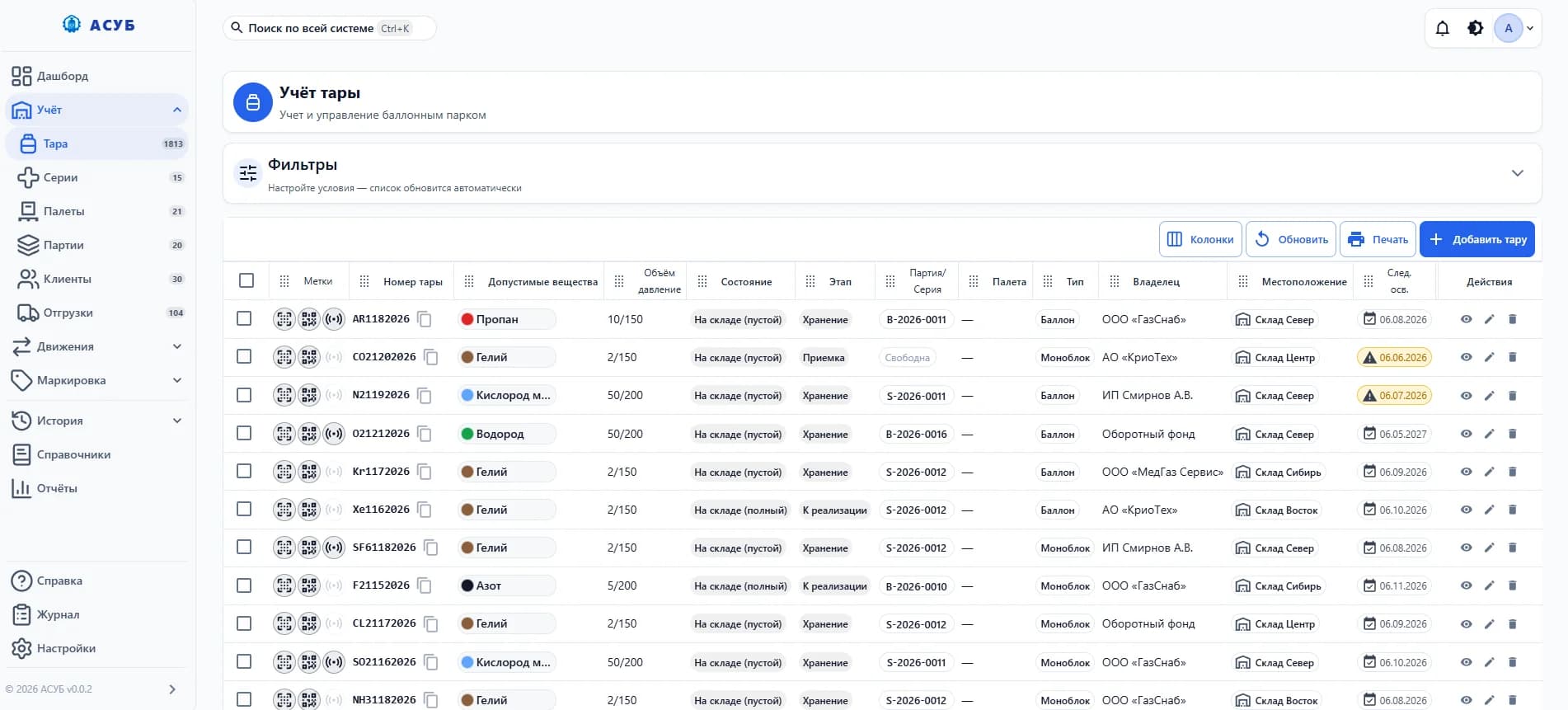
02 / Cylinders
Cylinders
Full cylinder registry with filters by status, gas type, warehouse and customer
Search and filter by 10+ parameters simultaneously
Digital passport for any cylinder in one click
Color-coded status indicators and overdue warnings
АСУБ · рабочее место
03 / Cylinder History
Cylinder History
Complete operation timeline for every cylinder — fills, transfers, maintenance
Full operation log with responsible employee attribution
Fill history: substance, volume, date and time
Complete audit trail of transfers between warehouses and customers
АСУБ · рабочее место

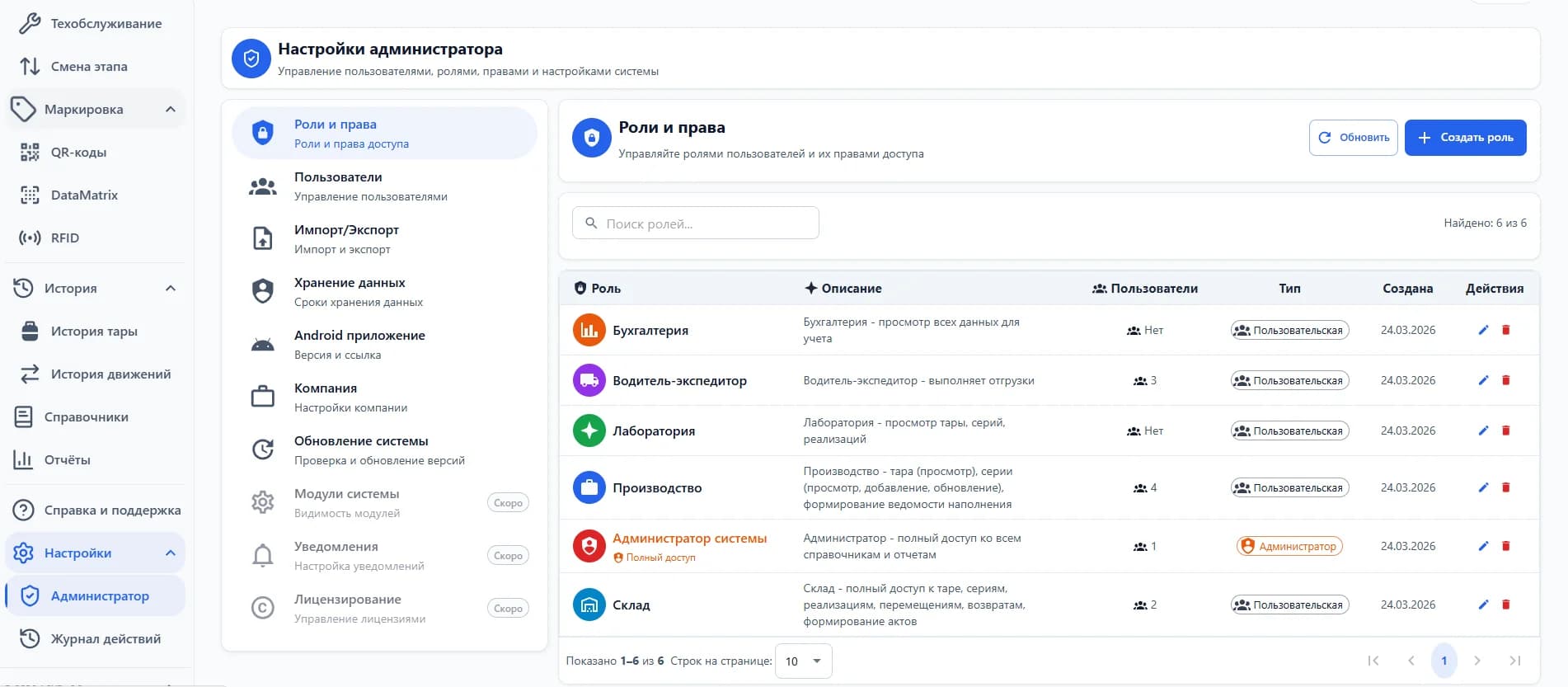
04 / Roles & Permissions
Roles & Permissions
Flexible role setup with granular permissions for every employee
100+ granular permissions per action and module
Built-in roles: warehouse manager, filling operator, driver and more
Create custom roles tailored to your organization
АСУБ · рабочее место
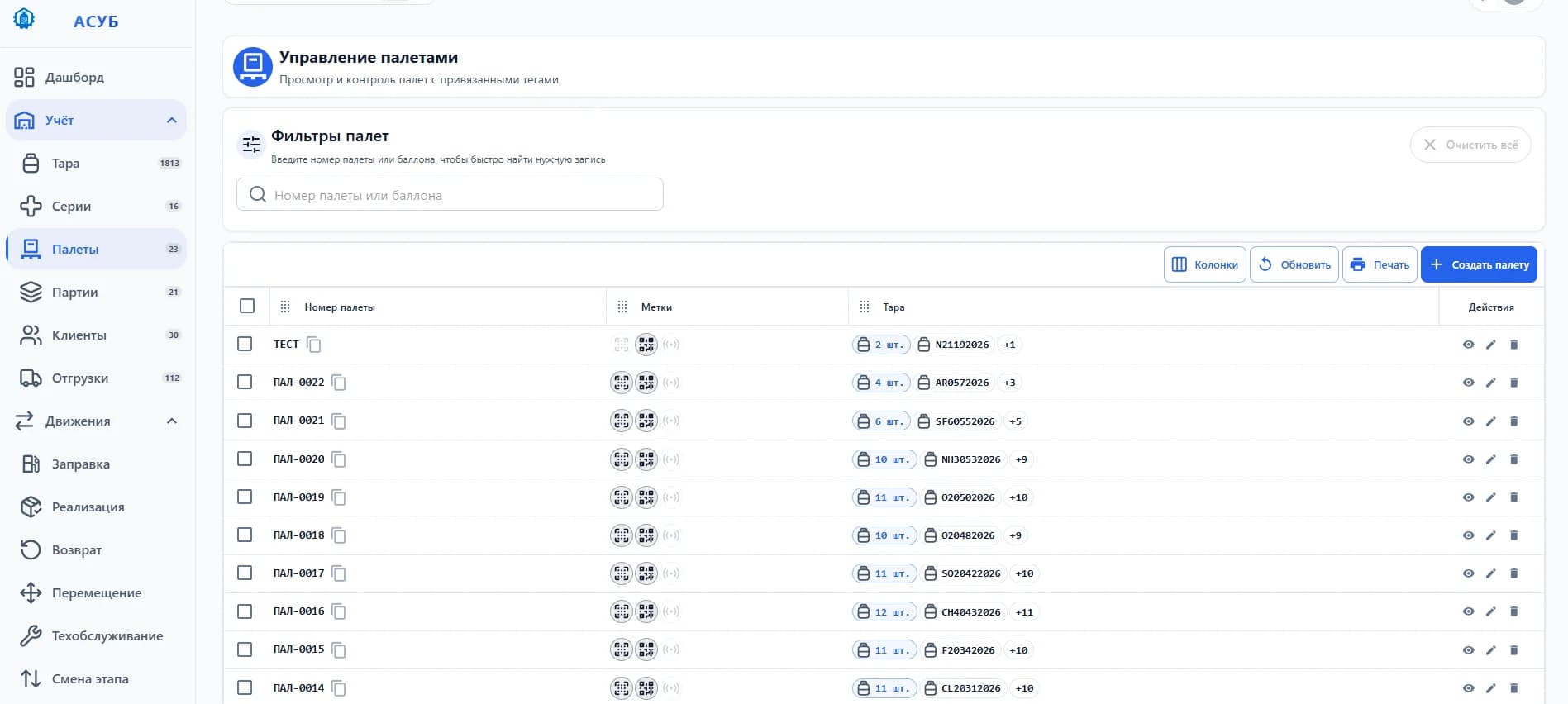
05 / Pallets
Pallets
Aggregate cylinders into pallets — track and move as a single logistics unit
Group cylinders into pallets for high-speed operations
Pallets aggregate into vehicles with loading control
Vehicle acceptance and departure with full operation logging
АСУБ · рабочее место
06 / Series & Batches
Series & Batches
Serial tracking for medical gases and batch tracking for industrial gases by packaging type
Serial tracking for medical gases meeting all regulatory requirements
Batch tracking for industrial gases with packaging type accounting
Full traceability from filling to end customer
АСУБ · рабочее место
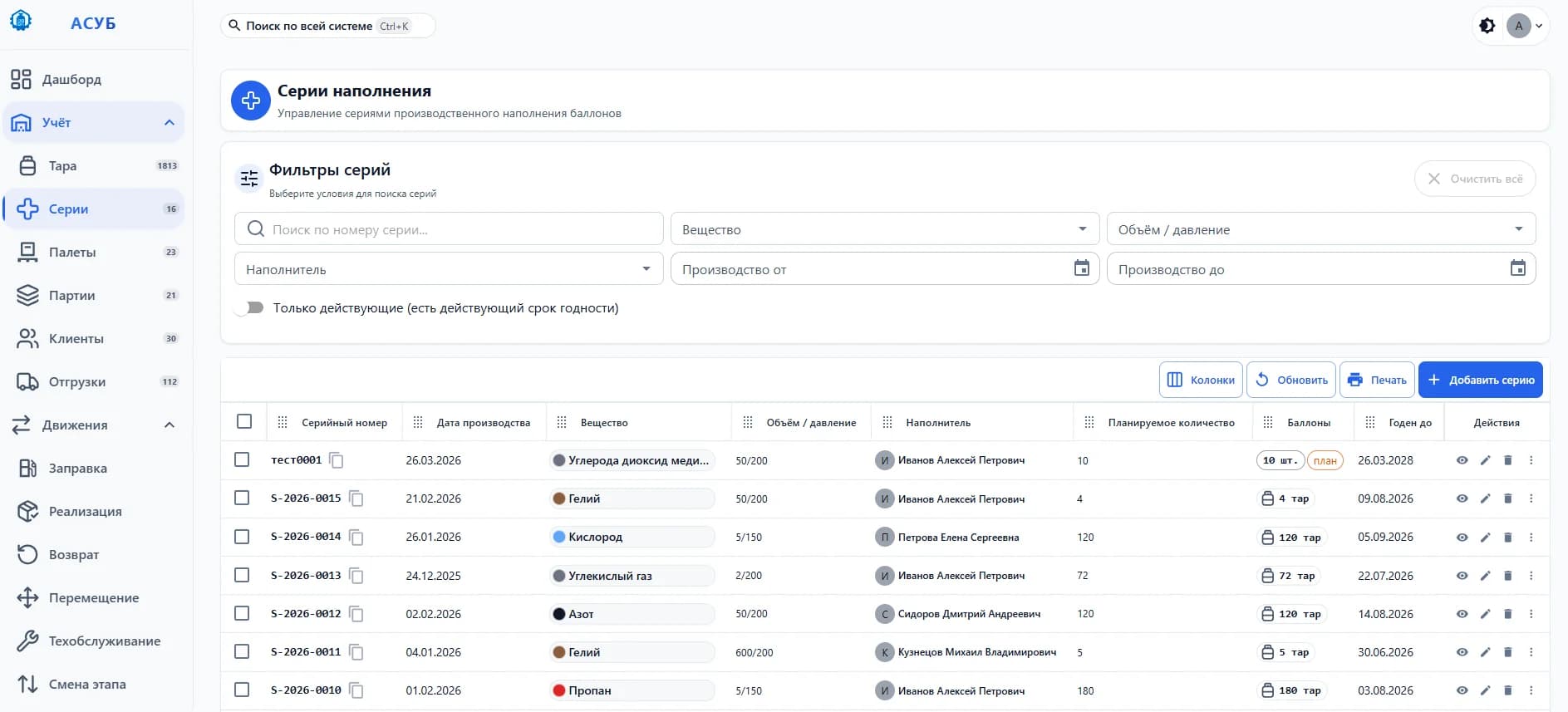
07 / Shipments
Shipments
Shipment control: vehicle loading, acceptance and departure with timestamps
Load vehicles by selecting cylinders through filters
Log departure and intake with employee and timestamp
Automatic cylinder status updates on shipment
АСУБ · рабочее место

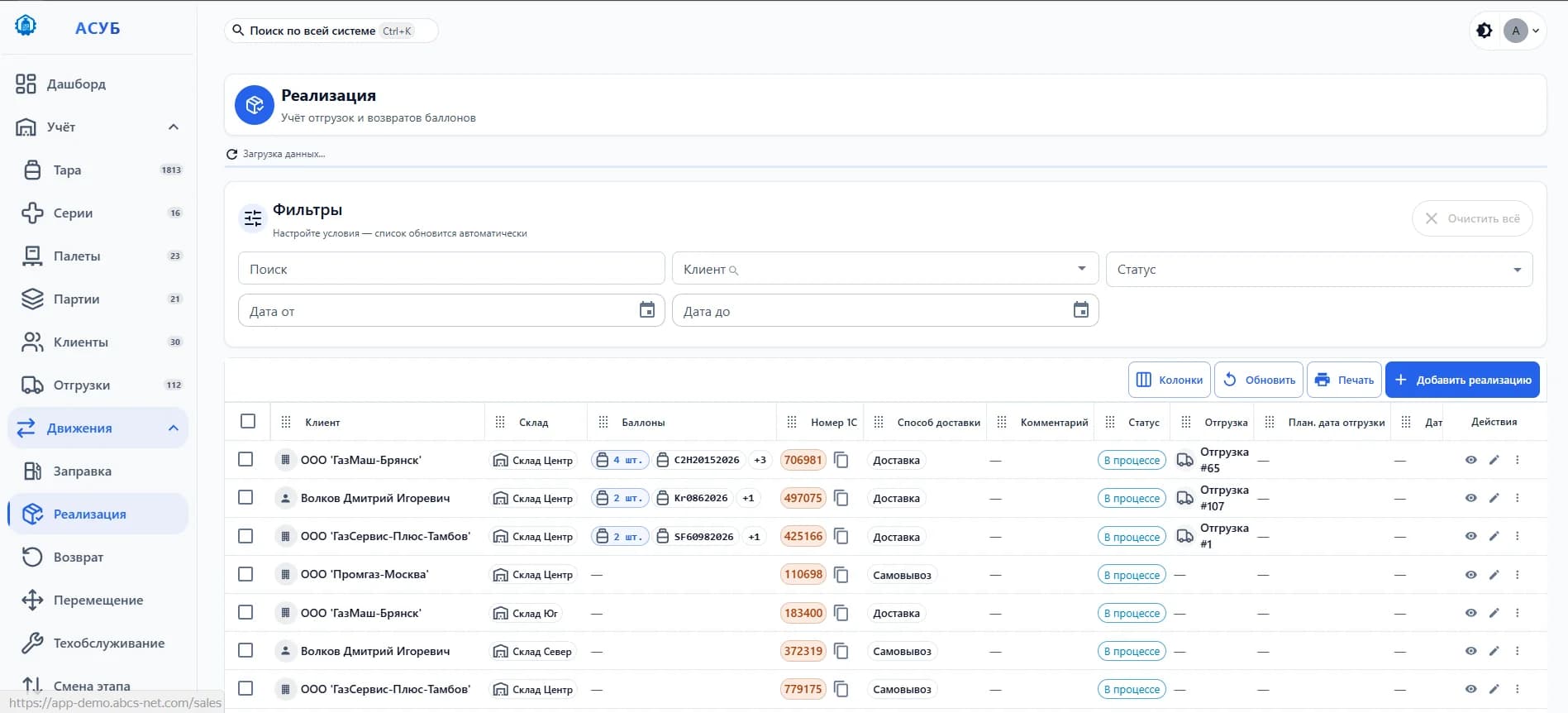
08 / Sales
Sales
Sales of filled containers to customers with automatic transfer act generation
Hand off containers to customers with auto-generated transfer acts
Real-time container balance tracking per customer
Full return and transfer history per customer account
АСУБ · рабочее место
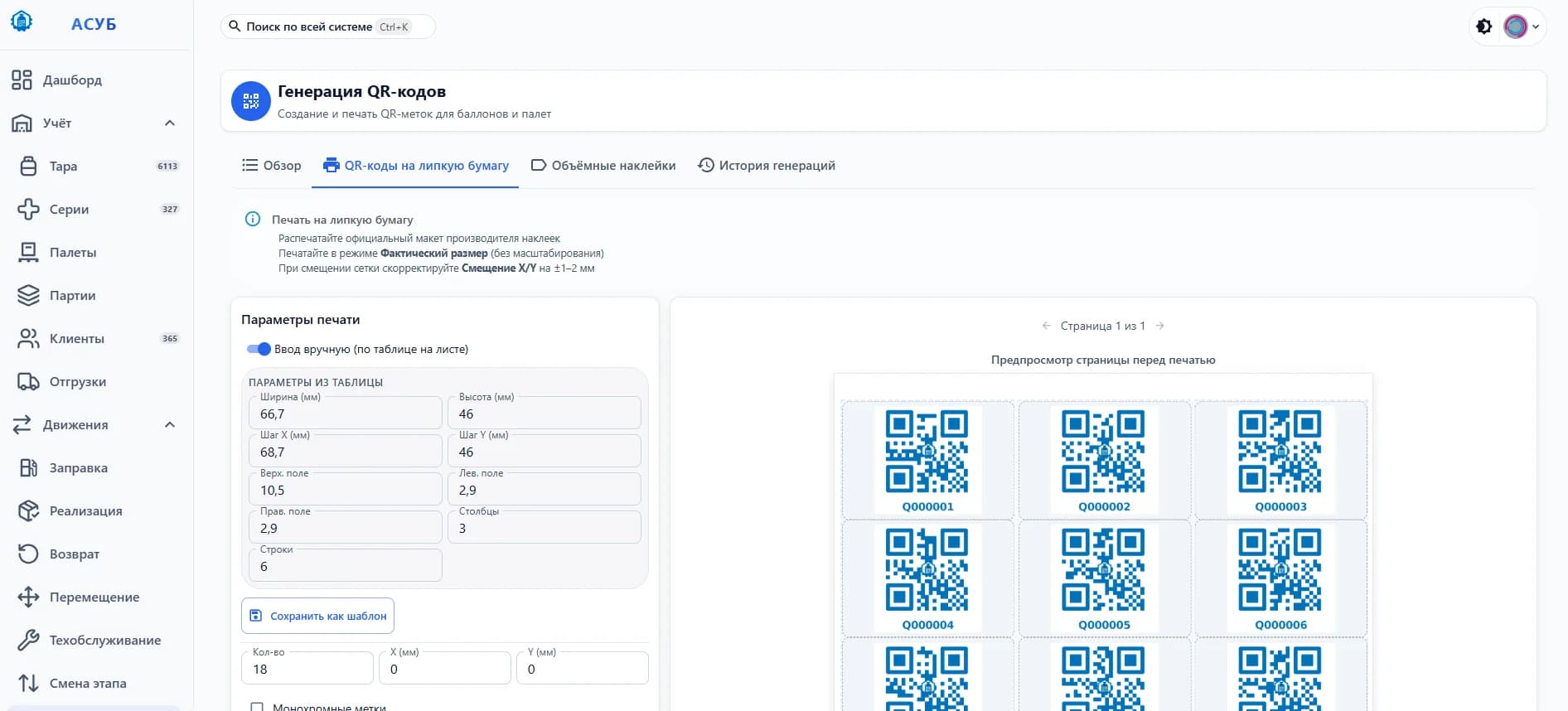
09 / Marking
Marking
Generate and print DataMatrix, QR and RFID labels — linked to every cylinder
Print DataMatrix, QR and RFID labels on any printer
Bulk label generation for multiple cylinders at once
Complete re-tagging history stored per container
АСУБ · рабочее место
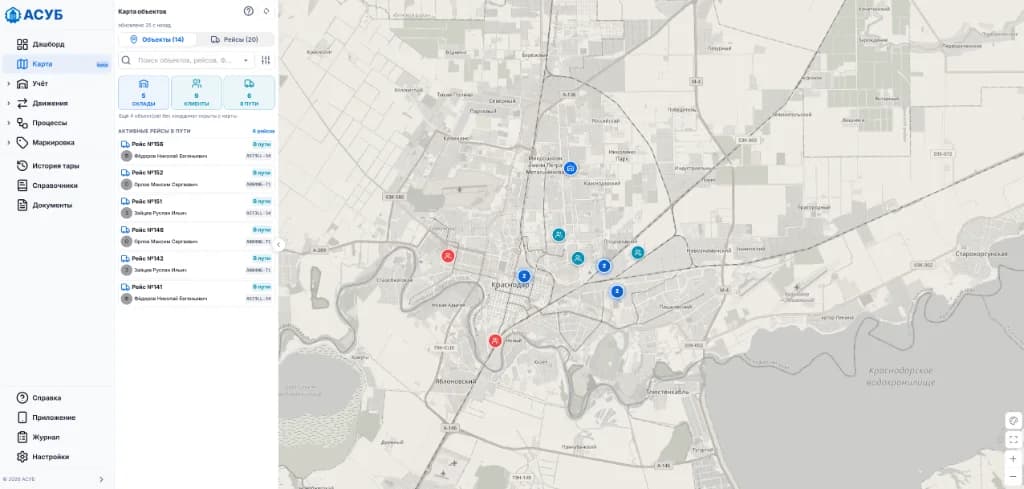
10 / Interactive Map & Logistics
Interactive Map & Logistics
Logistics mode: dispatch planning, route building, warehouse and fleet monitoring on a single map
Assemble dispatches directly on map with automated route geometry
Display warehouses and customer sites with exact coordinates and cylinder counts
Monitor vehicles in transit with driver info, vehicle plates and delivery status
АСУБ · рабочее место
11 / Laboratory Testing
Laboratory Testing
Gas quality assurance log: sampling, test protocols, and series verdicts
Record protocol numbers, sampling dates, and certified technicians
Automated series quarantine and Approved / Rejected quality verdicts
Print official lab logs and block dispatch of rejected batches
АСУБ · рабочее место
12 / Process Builder
Process Builder
Visual modeling and configuration of order execution workflows tailored to your company
Clear visual process diagram with parallel and sequential stages
Automated task distribution among roles (manager, warehouse, logistics, driver)
Pre-built templates (delivery, pickup, returns) and custom flowchart creation
АСУБ · рабочее место
АСУБ · рабочее место
1 / 3
ASUB v0.1 · Dashboard
Screenshots are taken from real demo environment data. The interface may slightly differ depending on the version.
Interactive Map, Route Building & Logistics Mode
Complete geographical visibility of your cylinder fleet: on-map dispatch planning, delivery route optimization, warehouses, clients and fleet in transit.
5 warehouses on map
9 customer sites
6 active routes in transit
Live data sync
АСУБ · карта
Logistics Mode: Dispatch Assembly & Planning
Create dispatches directly on the map: pick unassigned orders (sales, returns, transfers), track onboard cylinder capacity, and assign vehicles.
Route Building & Stop Sequencing
Automated route path visualization with numbered delivery stops (1, 2, 3...), drag-and-drop reordering, and travel route optimization.
Live Fleet Monitoring 'In Transit'
Track active dispatches in real time: fulfillment status, assigned driver with vehicle license plate, delivery stops and live progress.
Warehouses, Clients & Geocoded Balances
Unified picture of all assets: empty and full cylinder counts at storage hubs and customer facilities with stock threshold filters (from N units).
From setup to results — in 5 steps
Deploying ASUB doesn't take months of preparation. Most companies are up and running within the first week
- 01
Cylinder Labeling
We apply QR codes, DataMatrix or RFID tags to every cylinder. One cylinder — one digital identity.
We'll help you choose the optimal tag type for your conditions and select a printer for label production.
- 02
Data Upload
Import your existing database from Excel or create records via bulk entry. Thousands of cylinders — in minutes.
The system automatically checks data for duplicates and errors, highlighting problem records before saving.
- 03
Tailored Configuration
We set up warehouses, roles, lifecycle stages, and substance directories. The system adapts to you — not the other way around.
Over 100 configurable parameters — from access rights to document formats and notification logic.
- 04
Team Onboarding
We provide detailed documentation for every role: warehouse staff, filling operators, administrators. The interface is intuitive and easy to learn independently.
Each role gets its own guide with step-by-step instructions. Our support team is always available to answer questions and help your team get started quickly.
- 05
Control & Growth
Dashboards show the real picture: where cylinders are, which are overdue, where bottlenecks exist. You make data-driven decisions.
With each month you discover more optimization opportunities — and we help you implement them.
Simple and transparent model
We don't sell features separately and we don't charge per seat. You get the complete ASUB system for your entire team.
Why ASUB pays off in the very first months:
Cylinder Loss Prevention
Tracking cylinders with customers and drivers pays off the license by saving just 8–10 cylinders from disappearing.
5x Faster Inventory
Warehouse staff spend mere minutes on intake and auditing instead of hours of manual counting.
Full Automation
Elimination of human factor errors during filling and shipment of technical and medical gases.
ASUB Annual License
Full access to all system modules and the mobile application for the entire enterprise.
On request
annual licence
No limits on users and workplaces — work together as a whole team
All 15+ core system modules are already included in the price
Free Android mobile application with support for label scanning
Integration with your 1C, ERP or Bitrix24 via open API
Regular automatic security and database updates
For large enterprises and corporations (On-Premise)
If you require system deployment in a closed security contour (on your own servers), individual modifications, custom document logic, or priority technical support with reliability guarantees — we will offer a corporate cooperation format.
* 30-day free test-drive — test the system at your enterprise absolutely for free and without any obligations.
Frequently Asked Questions
Learn how ASUB solves real business challenges — and why our customers stay with us
We don't sell a one-size-fits-all product — we tailor the solution to your scale. Small businesses can start with a monthly subscription, while large enterprises get a dedicated server with custom development. Most clients recoup their investment within the first 2–3 months through reduced losses and faster operations. 30-day free trial — no strings attached.
Excel and generic ERPs are universal tools, but they don't understand what a cylinder, fill operation, or inspection certification is. ASUB was purpose-built for cylinder management: no manual data entry, no lost rows, no formulas someone accidentally deleted. Clients who migrated from Excel report 3–5× faster tracking and complete elimination of inventory errors.
System access — immediately after registration. Full deployment with data migration takes 3 to 7 business days. Many clients start working productively on day one — the interface is intuitive, and bulk Excel import lets you load your entire database in minutes. Detailed documentation for each role is included.
ASUB is engineered for industrial scale. The movements table is partitioned, search works instantly even with hundreds of thousands of records. Our clients manage fleets from 500 to 50,000+ cylinders without any slowdown. The system scales with your business — no additional architecture costs.
Yes. We provide a full on-premise version for companies that need to keep data within their own infrastructure. Installation takes less than an hour, and updates are delivered automatically. A cloud option is also available — the choice is yours.
To start, a regular smartphone is enough — our Android app scans QR and DataMatrix tags using the camera. For higher-volume warehouse operations, we recommend industrial scanners — we'll help you choose the right model and configure the integration. If you work with RFID, the system supports that too.
Every action in the system is logged with user and timestamp. The audit log keeps a complete history: who created, modified, or deleted any record. Ready-made documents (transfer acts, fill sheets, checklists) are generated in one click with all required data. During an inspection, you don't search for papers — you show the digital passport with the cylinder's complete lifecycle.
Absolutely. ASUB is highly configurable: custom roles and permissions, personalized dashboards, user-defined lifecycle stages. If you need specific documents, reports, or integrations — we develop them to your requirements. Many clients start with core functionality and gradually expand the system as their needs evolve.
Yes, a full-featured Android app for field operations. Scan tags with your camera, view cylinder passports, log intake, shipment, and filling — all on site, without returning to a computer. Data syncs with the main system in real time.
We don't just 'close tickets' — we guide you from implementation to results. Support includes: detailed onboarding documentation for each role, data migration assistance, process optimization consulting, priority updates, and a dedicated account manager for enterprise clients. Our goal is for the system to deliver value from day one.
Try ASUB
right now
Two formats to choose from. Demo with sample data — log in right now, credentials land in your inbox instantly. Test environment — a dedicated tenant for your workflows, we confirm access after your request. No obligations, no payment.
Fill the form
Enter your contact details
Get an email
With demo login credentials
Explore the system
Try all features
Optional. e.g. 500
How would you like to explore?
Demo with sample data — Pre-filled data — fastest way to see the interface
Turboserv products
ASUB is developed by Turboserv, an engineering company: process control systems for industrial plants and its own asset tracking systems.
 Developerturboserv.ru ↗
 АСУБYou are hereGas cylinder tracking and labelling
For gas producers and filling plants, and any site with a cylinder fleet. Listed in the Russian software registry.
 АСУОFire extinguisher tracking (GOST R 59641-2021)
For any business with fire extinguishers — from cafés to production sites.
Turboserv also automates air separation units and compressors — control systems on Regul, SURA and Siemens. turboserv.ru ↗